Administration
Added in version 0.3.0.
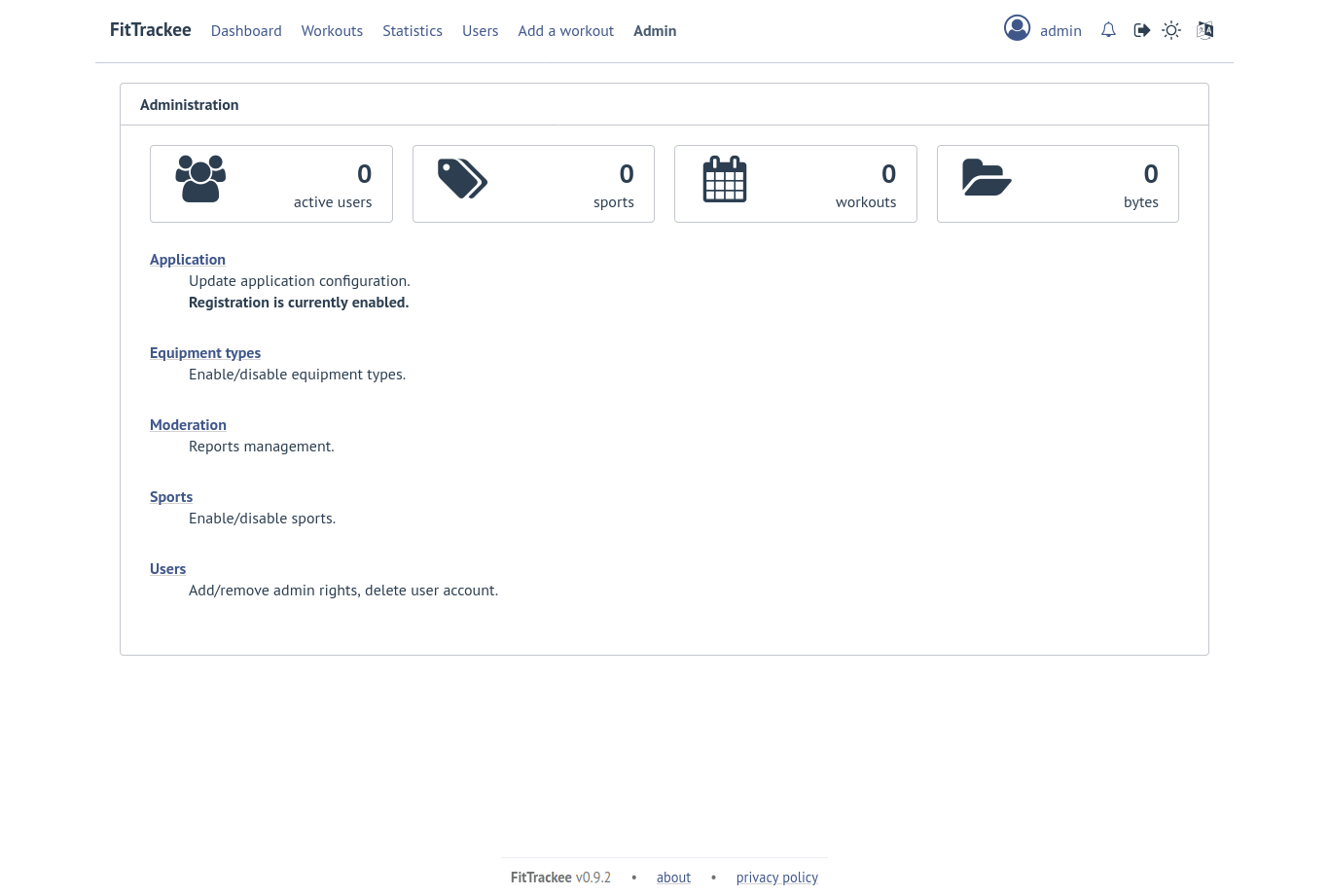
Application
Only users if administration rights can access application administration.
Configuration
Changed in version 0.6.0: added administrator email for contact
Changed in version 0.7.4: maximum size of workout file and maximum number of files in the zip archive updated
Changed in version 0.8.5: added maximum number of workouts for sport statistics
Changed in version 0.10.0: added maximum number of files for synchronous processing and maximum number of workouts displayed on global map
The following parameters can be set:
active users limit (default: 0). If 0, registration is enabled (no limit defined).
maximum size of workout file (individually uploaded or in a zip archive, default: 1Mb)
maximum size of zip archive (default: 10Mb)
maximum number of files in the zip archive (default: 10)
maximum number of files for synchronous processing (default: 10). If the maximum number of files in the zip archive equals the maximum number of files for synchronous processing, asynchronous upload is disabled.
Note
When upgrading to v0.10.0, asynchronous download is disabled, since both values are equal.
maximum number of workouts for sport statistics (default: 10,000). If 0, all workouts are fetched to calculate statistics
maximum number of workouts displayed on global map (default: 10,000), this value can not exceed 50,000 workouts
Note
administrator email for contact
Warning
Note
If email sending is disabled, a warning is displayed.
About
Added in version 0.7.13.
Privacy policy
Added in version 0.7.13.
Note
Only the default privacy policy is translated (if the translation is available).
Moderation
Added in version 0.9.0.
Only users with administration or moderation rights can access moderation.
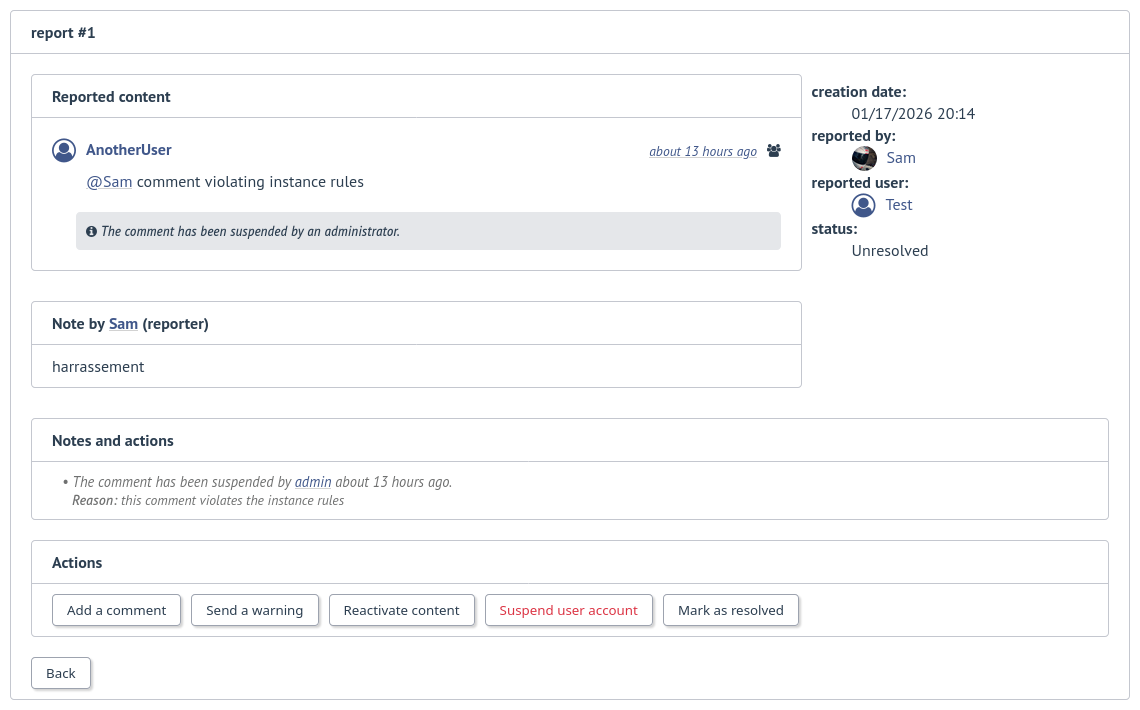
This page displays the list of reports, which can be filtered.
Administrators and moderators can manage a report:
add a comment
send a warning
suspend or reactive workout or comment
suspend or reactive user account
mark report as resolved or unresolved
Note
Report content is visible regardless the visibility level.
Equipment Types
Added in version 0.8.0.
Only users with administration rights can access equipment types administration.
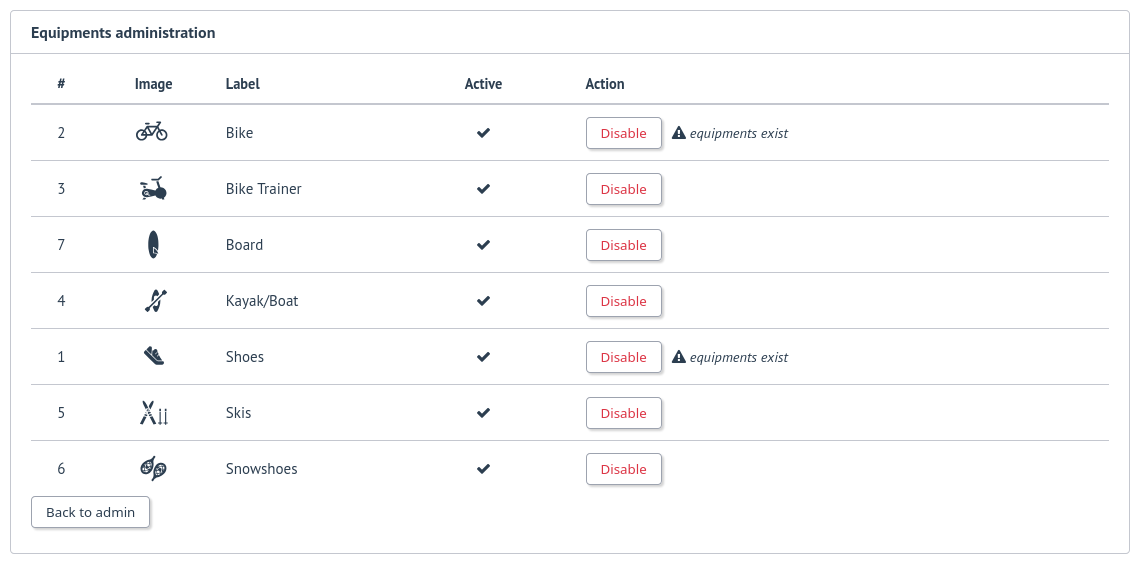
It allows to enable or disable an equipment type in order to match disabled sports (a equipment type can be disabled even if equipment with this type exists)
Queued tasks
Added in version 0.10.0.
Only users with administration rights can view queued tasks for user data export or workouts archive upload.
Note
If no workers are running, CLI commands allow to process queued tasks.
Sports
Users
Changed in version 0.6.0: added user account activation, email and password update
Changed in version 0.9.0: added moderator and owner roles, updated administrator role
Only users with administration rights can access users administration.
Following roles are available:
user
no moderation or administration rights
moderator
can only access moderation entry in administration
can see reports
perform report actions
administrator
has moderator rights
can access all entries in administration:
application
moderation
equipment types
sports
users
owner
has admin rights
role can not be modified by other administrator/owner on application
Note
Roles defined prior to version 0.9.0 remain unchanged.
Users administration displays the list of users, which can be filtered.
It is possible to edit a user in order to:
update role. A user with owner role can not be modified by other users. Owner role can only be assigned or removed with FitTrackee CLI.
activate his account
update his email (in case his account is locked)
reset his password (in case his account is locked). If email sending is disabled, it is only possible via CLI.
It is also possible to delete a user account.