Workout
Creation
A workout can be created by:
uploading manually a file or a zip archive containing a limited number of files,
or entering workout data (without file).
Note
File upload
Changed in version 0.10.0: support for .fit, .kml/.kmz and .tcx files, asynchronous uploads for larger files
Changed in version 0.10.3: pause events triggering segment creation (.fit files only)
Supported files extensions are:
.gpx
.fit
.kml and .kmz
versions supported: 2.2.0 and 2.3.0
only files with
Placemark/MultiTrack/Tracksare supported.files with folders or multiple
Placemarkare not supported for now.
.tcx
.zip archive containing files with one of the supported extensions
The maximum file size and number can be modified by administrators.
Warning
Only files containing at least time and coordinates are supported (otherwise, errors may occur on upload).
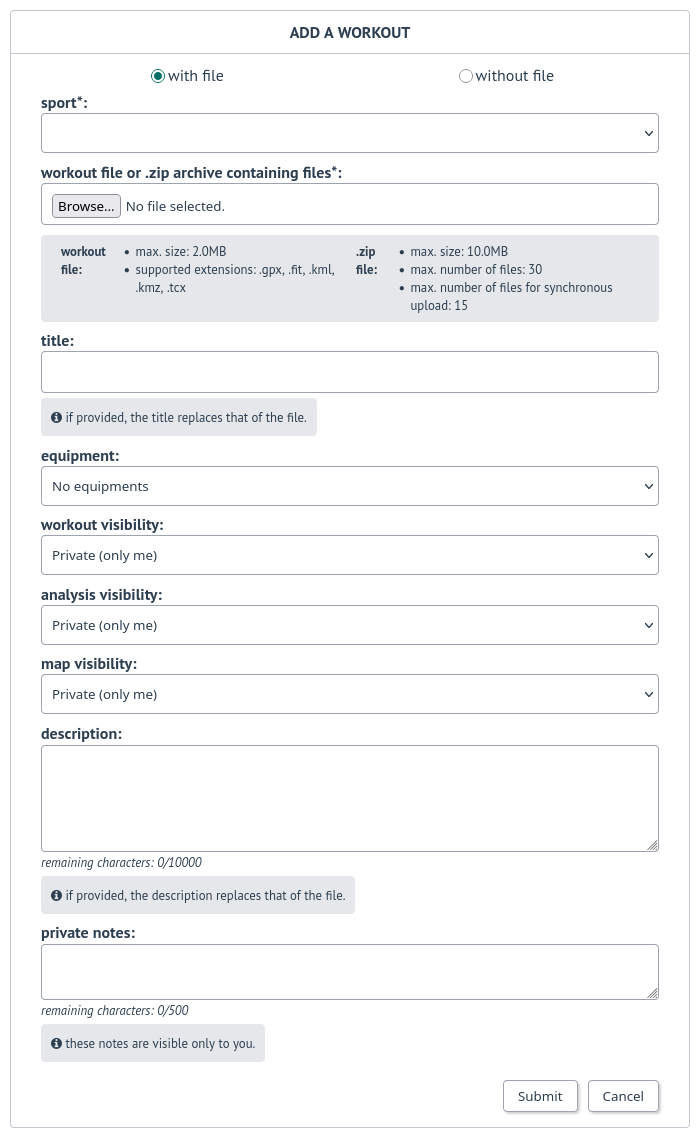
Form for file upload
Technical notes
For extensions other than .gpx, files are converted to .gpx:
- .fit: generated .gpx file contains one track (
<trk>). Depending on user preferences, a new segment (<trkseg>) can be created after pause events: all pause events,
only manual pause event.
- .fit: generated .gpx file contains one track (
.kml: generated .gpx file contains one track (
<trk>) corresponding to<MultiTrack>, containing one segment (<trkseg>) per kml track (<Track>).tcx: generated .gpx file contains one track (
<trk>) containing one segment (<trkseg>) per activity (<Activity>)
Archive files (.zip) upload can be asynchronous when enabled by the administrators. Asynchronous uploads can be displayed in user account and can be interrupted by the user. In case errors are encountered, the list of error files is displayed at the end of the upload.
Note
Weather data are not collected during asynchronous uploads to avoid hitting API rate limit.
Warning
A notification is displayed after task completion.
Data entry
Changed in version 0.7.10: add ascent and descent
Changed in version 1.1.2: added total calories to workout without file, elevation related inputs disabled for workout for sports without elevation
Users can create a workout without file by entering date, time, duration, distance, ascent, descent and calories.
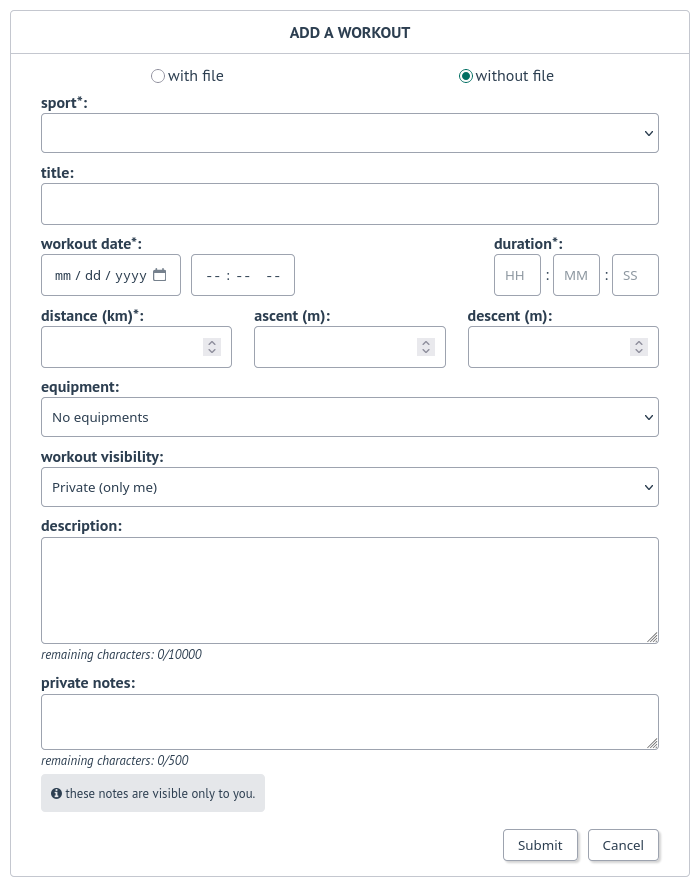
Sports
27 sports are available.
Sports available
Cycle sports
Added in version 0.7.3: Cycling (Virtual)
Added in version 0.7.27: Cycling (Trekking)
Added in version 0.9.3: Halfbike
Added in version 0.5.0: Mountain Biking (Electric)
Id |
Icon |
Name |
|---|---|---|
1 |

|
Cycling (Sport) |
2 |

|
Cycling (Transport) |
17 |

|
Cycling (Trekking) |
13 |

|
Cycling (Virtual) |
21 |

|
Halfbike |
4 |

|
Mountain Biking |
7 |

|
Mountain Biking (Electric) |
Foot sports
Added in version 0.5.0: Trail
Id |
Icon |
Name |
|---|---|---|
3 |

|
Hiking |
5 |

|
Running |
8 |

|
Trail |
6 |

|
Walking |
Water sports
Added in version 0.5.0: Rowing
Added in version 0.7.20: Open Water Swimming
Added in version 0.9.3: Canoeing and Kayaking
Changed in version 0.9.3: Modified Rowing image
Added in version 0.9.10: Windsurfing
Added in version 0.10.3: Standup paddleboarding
Added in version 1.1.0: Canoeing (Whitewater) and Kayaking (Whitewater)
Changed in version 1.1.0: Modified Canoeing and Kayaking images
Id |
Icon |
Name |
|---|---|---|
20 |

|
Canoeing |
26 |

|
Canoeing (Whitewater) |
19 |

|
Kayaking |
27 |

|
Kayaking (Whitewater) |
16 |

|
Open Water Swimming |
11 |

|
Rowing |
23 |

|
Standup Paddleboarding |
22 |

|
Windsurfing |
Rackets sports
Added in version 0.11.0: Tennis (Outdoor)
Added in version 1.0.0: Padel (Outdoor)
Id |
Icon |
Name |
|---|---|---|
25 |

|
Padel (Outdoor) |
24 |

|
Tennis (Outdoor) |
Winter sports and mountain sports
Added in version 0.5.0: Skiing (Alpine) and Skiing (Cross Country)
Added in version 0.5.2: Snowshoes
Added in version 0.7.3: Mountaineering
Added in version 1.2.0: Ice Skating
Id |
Icon |
Name |
|---|---|---|
28 |

|
Ice Skating |
14 |

|
Mountaineering |
9 |

|
Skiing (Alpine) |
10 |

|
Skiing (Cross Country) |
12 |

|
Snowshoes |
Other sports
Added in version 0.7.19: Paragliding
Added in version 0.8.7: Swimrun
Added in version 1.2.0: Inline Skating
Id |
Icon |
Name |
|---|---|---|
29 |

|
Inline Skating |
15 |

|
Paragliding |
18 |

|
Swimrun |
Note
Sports configuration
Changed in version 0.8.0: added default equipment
Changed in version 1.1.0: added pace/speed display
It is possible to configure sport in user preferences (see Account & preferences) :
Sport color
Active status
Stopped speed threshold
Default equipment
Pace/Speed display
Data entered and extracted
Changed in version 0.7.11: added Visual Crossing as weather provider
Removed in version 0.7.23: removed DarkSky as weather provider
Changed in version 0.8.0: added equipment
Changed in version 0.8.9: added workout description
Changed in version 0.8.9: added extraction of description from file
Changed in version 0.8.10: title can be entered when creation workout with file
Changed in version 0.9.0: added Markdown syntax for descriptions and private notes
Changed in version 0.11.0: Garmin mapping updated
Changed in version 1.1.0: added extraction of total calories from file, missing elevations
If present in .gpx, .tcx and .fit files, the source (application or device) is displayed.
Note
.fit files from Garmin devices may contain product id instead of product name. The mapping between the product id and the product name allows the product name to be displayed instead, if available.
If present and no description is provided by the user, the description from the file is used as the workout description.
An equipment can be associated with a workout. For now, only one equipment can be associated.
If present in .gpx, .tcx or .fit files, the total calories are extracted
Note
The calories displayed correspond to the total active calories and resting calories.
If a weather provider is set by the administrator, the weather is extracted for the start and end points.
Note
If the weather provider is enabled, it will be displayed on the About page.
Visibility levels
Added in version 0.9.0.
Changed in version 0.10.0: added visibility levels for heart rate
Changed in version 1.1.0: added visibility levels for total calories
Visibility level can be set separately for workout data, analysis and map:
private: only owner can see data,
followers only: only owner and followers can see data,
public: anyone can see data even unauthenticated users.
Note
In addition, the visibility level can be set for all workouts for heart rate (average and max values and values displayed in chart) and total calories (value displayed in the workout detail).
Default visibility can be set in the user preferences.
Note
Users can report a workout that violates instance rules. This will send a notification to moderators and administrators.
Important
Calculated data
Technical notes
Related data are stored in database in metric system.
Calculated values may differ from values calculated by the application or device that originally generated the files, in particular the maximum speed or the duration of pauses.
By default, extreme speed values (which may be related to GPS errors) are excluded, which also affects the maximum speed (and pace).
Note
A user preference allows this behavior to be disabled (see Account & preferences).
Stopped speed threshold
Changed in version 0.5.0: added configuration
Stopped speed threshold affects speeds and durations calculation.
The value used by gpxpy is not the default one for the following sports (0.1 km/h instead of 1 km/h):
Hiking
Mountaineering
Open Water Swimming
Padel (Outdoor)
Paragliding
Skiing (Cross Country)
Snowshoes
Swimrun
Tennis (Outdoor)
Trail
Walking
Note
Elevation
Changed in version 1.0.6: elevation is not displayed for flatwater sports
Changed in version 1.1.0: add missing elevation and elevation data source change
Elevation-related data for racket sports (Outdoor Tennis and Padel), flatwater sports (Canoeing, Kayaking, Rowing, Open Water Swimming, Rowing and Standup Paddleboarding) and Ice Skating are not displayed if the file contains elevation
Note
The elevation services that are enabled are displayed on the About page.
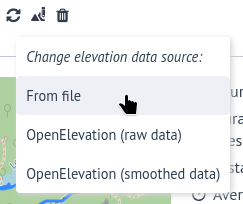
Elevation data source can also be changed after creation.
Records
Changed in version 0.6.11: added highest ascent record
Changed in version 1.1.0: added pace records
Depending on sports, following records are calculated:
average speed
average pace
best pace
farthest distance
highest ascent
longest duration
maximum speed
Note
Records may differ from records displayed by the application that originally generated the files.
Display
Once created, the workout is displayed with the calculated data and, in the case of workouts created from a file, with a map and chart.
Example for a workout created with a .gpx file:
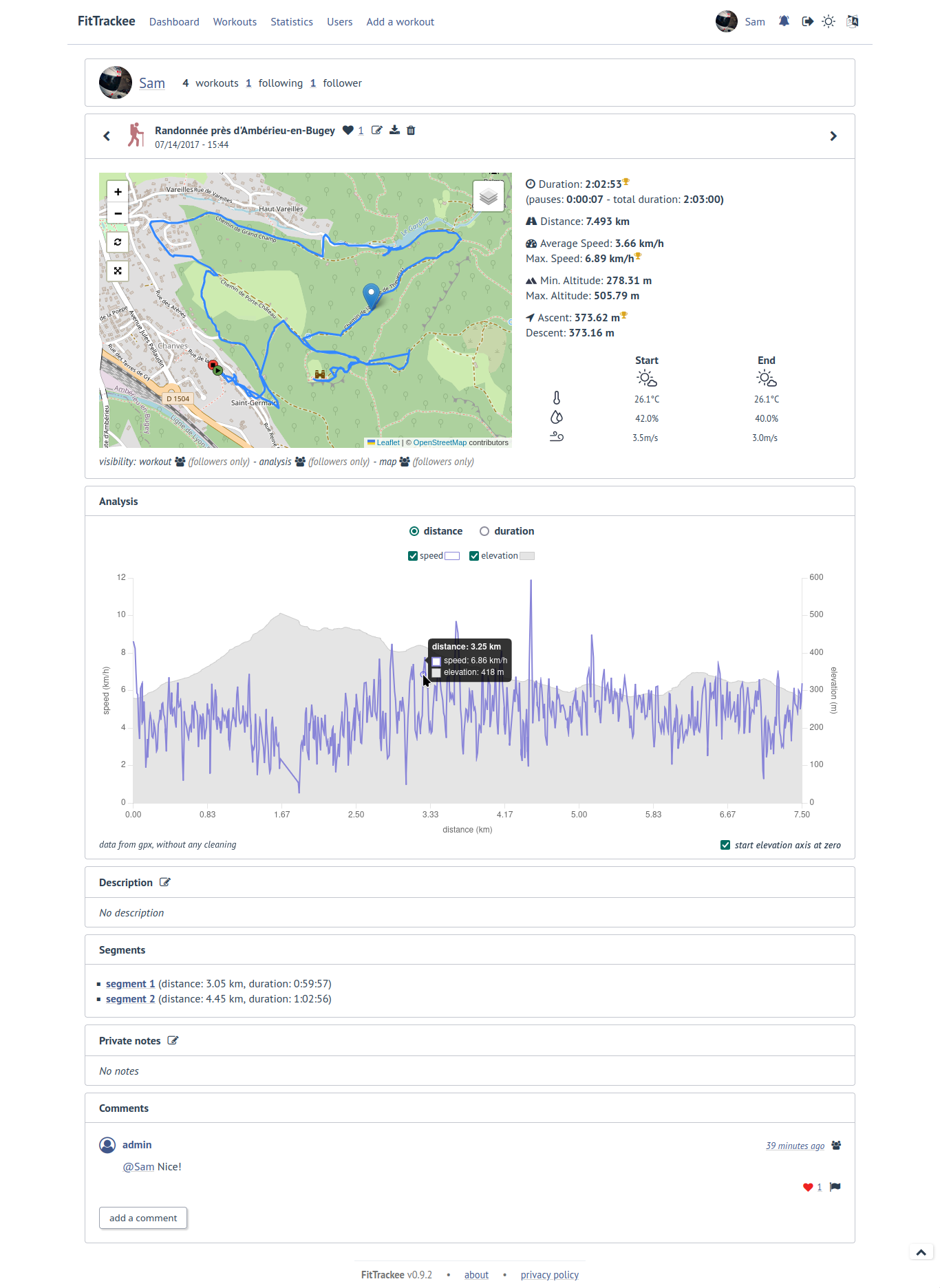
If the file contains multiple segments, each of them can be displayed.
Depending on preferences, data is displayed using the metric or imperial system.
Displayed data
Changed in version 0.5.5: added wind direction
Changed in version 0.5.5: added equipment
Changed in version 0.10.0: added file source, heart rate, and cadence
Changed in version 0.11.0: added power
Changed in version 1.1.0: added pace and total calories
Depending on the sport and the method used to create the workout, the following data are displayed:
if present, file source
durations (moving and total durations and pauses)
distance
average and max. speeds (depending on sport or pace/display preference)
average and best paces for the following sports (depending on pace/display preference):
Hiking
Running
Trail
Walking
if present, min. and max. altitudes
if present, ascent and descent
if present, average and max. heart rate
if present, average and max. cadence for the following sports:
Cycling (Sport)
Cycling (Trekking)
Cycling (Transport)
Cycling (Virtual)
Halfbike
Mountain Biking
Mountain Biking (Electric)
Hiking
Mountaineering
Snowshoes
Running
Trail
Walking
Open Water Swimming
if present, average and max. power for the following sports:
Cycling (Sport)
Cycling (Trekking)
Cycling (Transport)
Cycling (Virtual)
Halfbike
Mountain Biking
Mountain Biking (Electric)
if present, total calories
- if present, weather dataWind is displayed, with an arrow indicating the direction (a tooltip can be displayed with the direction that the wind is coming from).
records
Note
Records may differ from records displayed by the application that originally generated the files.
associated equipment, according to its visibility (equipment details are only visible to its owner)
Note
Map
Changed in version 0.5.0: added full screen and reset control
Changed in version 0.11.0: added heatmap for racket sports
Chart
Changed in version 0.10.0: added heart rate and cadence
Changed in version 0.11.0: added power and display preference for charts
Changed in version 1.1.0: added pace and total calories, change default value for charts display preference
Changed in version 1.2.0: zoom in and zoom reset added
A chart is displayed for workout with a file, depending on sport and available data:
speed (by default, speed is not displayed when pace is displayed)
pace
elevation
heart rate
cadence
power
Note
Extreme values for pace (greater than 1:00:00/km or 1:00:00/mi) are not displayed on chart.
It is possible to zoom in and reset zoom:
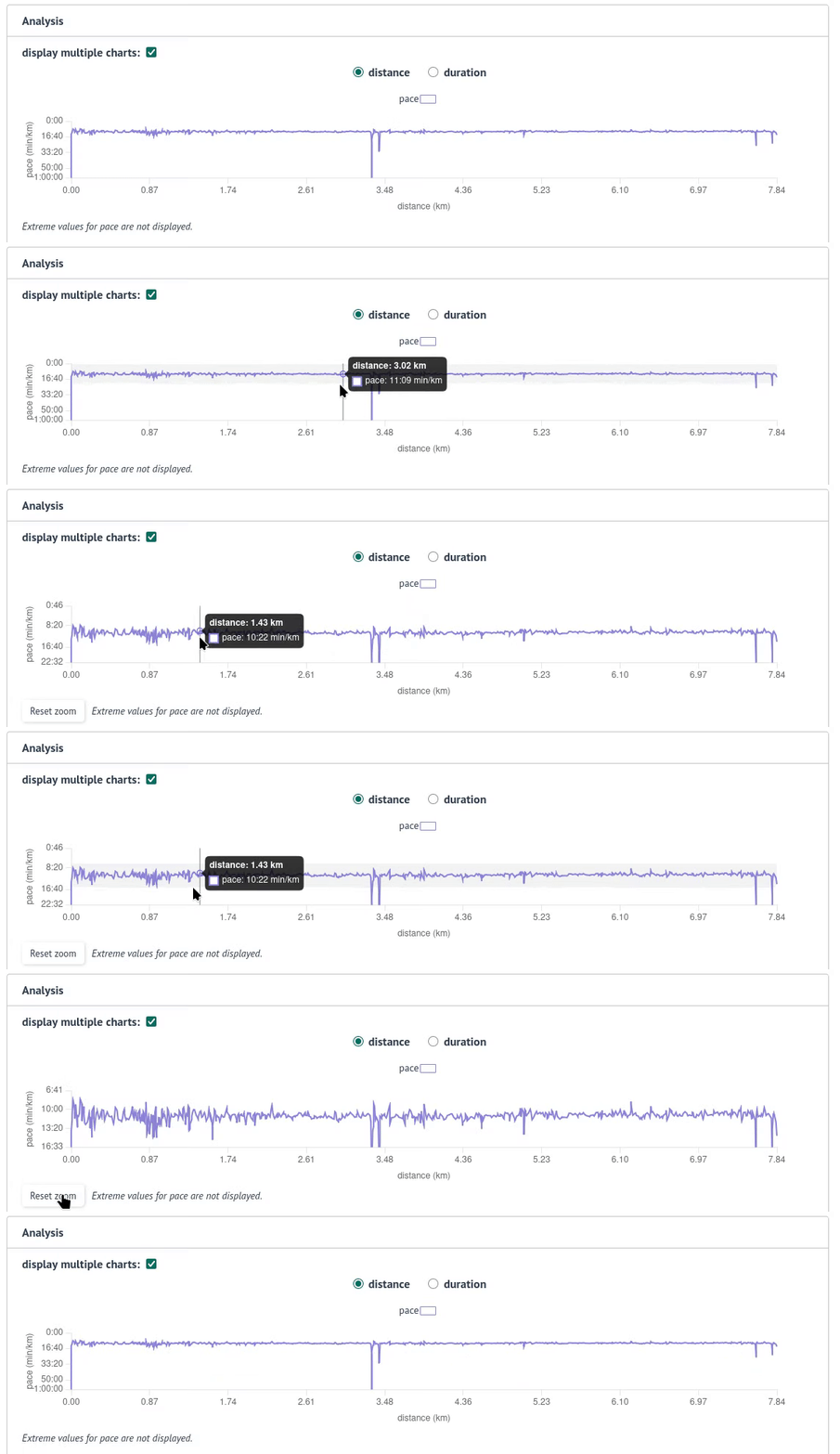
Note
On mobile devices, zoom is currently not enabled for now. The layout on mobile needs to be redesigned before this feature can be enabled.
Speed/pace, elevation, heart rate, cadence and power can be displayed on one chart or split on multiple charts.
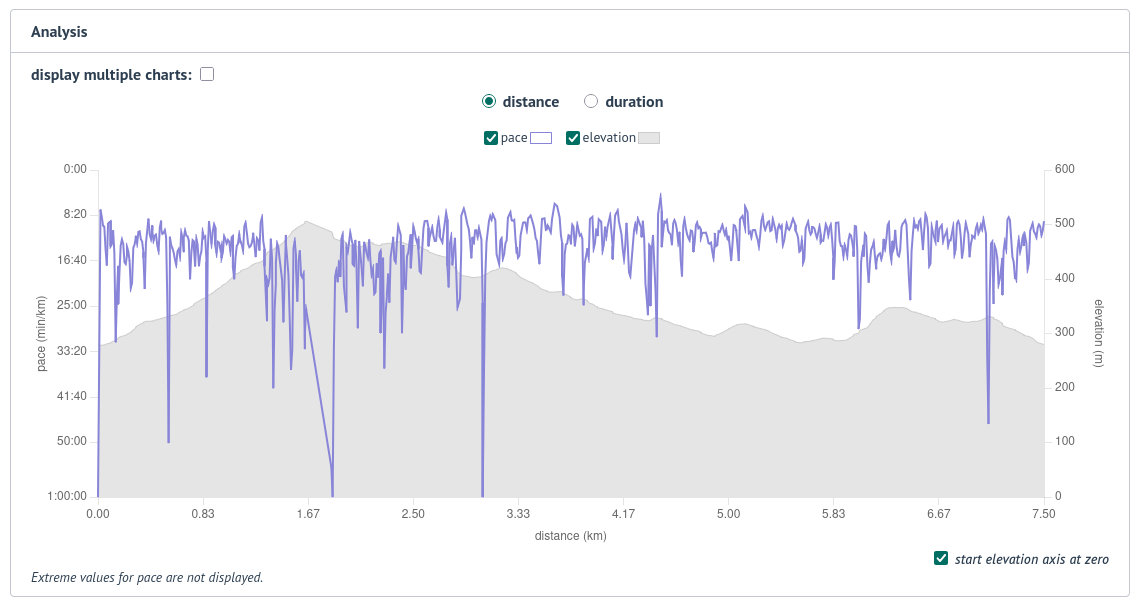
The preferred display can be stored in a user preference.
Workout menu
Changed in version 0.5.1: added button for download
Changed in version 0.9.0: added like button
Changed in version 0.12.0: added refresh button
Changed in version 1.1.0: added button for elevation data source, file download updated
Button |
Action |
|---|---|

|
Like workout (only for authenticated users, depending on workout visibility) |

|
Download the original workout file or the generated .gpx file (only for workout owner) |

|
Edit workout (only for workout owner) |

|
Refresh workout (only for workout owner) |

|
Change elevation data source workout (only for workout owner, if elevation service is set) |

|
Delete workout (only for workout owner) |

|
Report workout (only for authenticated users except the workout owner, depending on workout visibility) |
Edition and deletion
Changed in version 0.12.0: added workout refresh
Changed in version 1.1.0: added the ability to change the altitude data source, recalculating values when changing sports.
Workout can be edited:
sport
title
equipment
description
private notes
workout visibility
analysis visibility
map visibility
date (only workouts without gpx)
duration (only workouts without gpx)
distance (only workouts without gpx)
ascent and descent (only workouts without gpx)
updating some preferences (“max. speed calculation strategy” and “pause events triggering segment creation”),
updating stopped speed threshold in sport preferences (used to calculate pauses),
configuring a weather data provider,
some new features,
Garmin device mappings update,
bug fixes on file processing.
The calculated data can be refreshed by clicking on Refresh button and weather data fetched (if provider is set and the workout does not have weather data).
Note
Warning
If a weather data provider is defined and the --with-weather option is provided and/or an Elevation API URL is set and --with-elevation option is provided, the rate limit may be reached, resulting in API rate limit errors when a large number of workouts is refreshed.
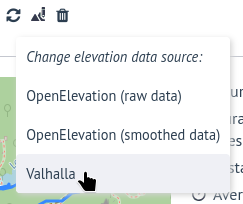
It is also possible to get the elevation again from the file:
A workout can be deleted by clicking on the Delete button.