Interactions
Added in version 0.9.0.
Users
Users directory
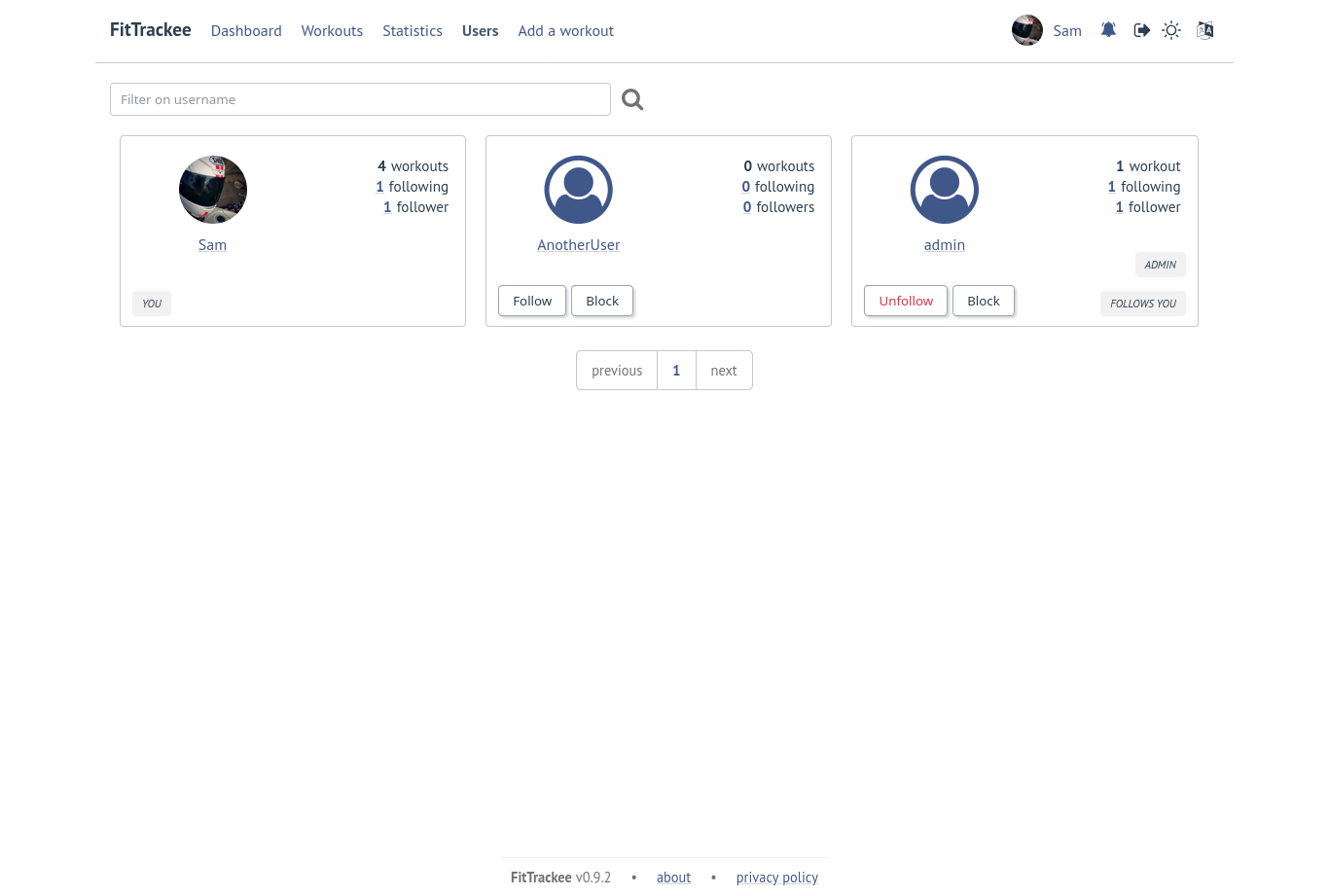
Note
A user profile remains accessible via its URL.
User profile
Changed in version 0.9.0: display of the last 5 sessions visible in the user profile
Changed in version 0.12.0: added RSS Feed
Changed in version 0.12.1: description added to the RSS Feed
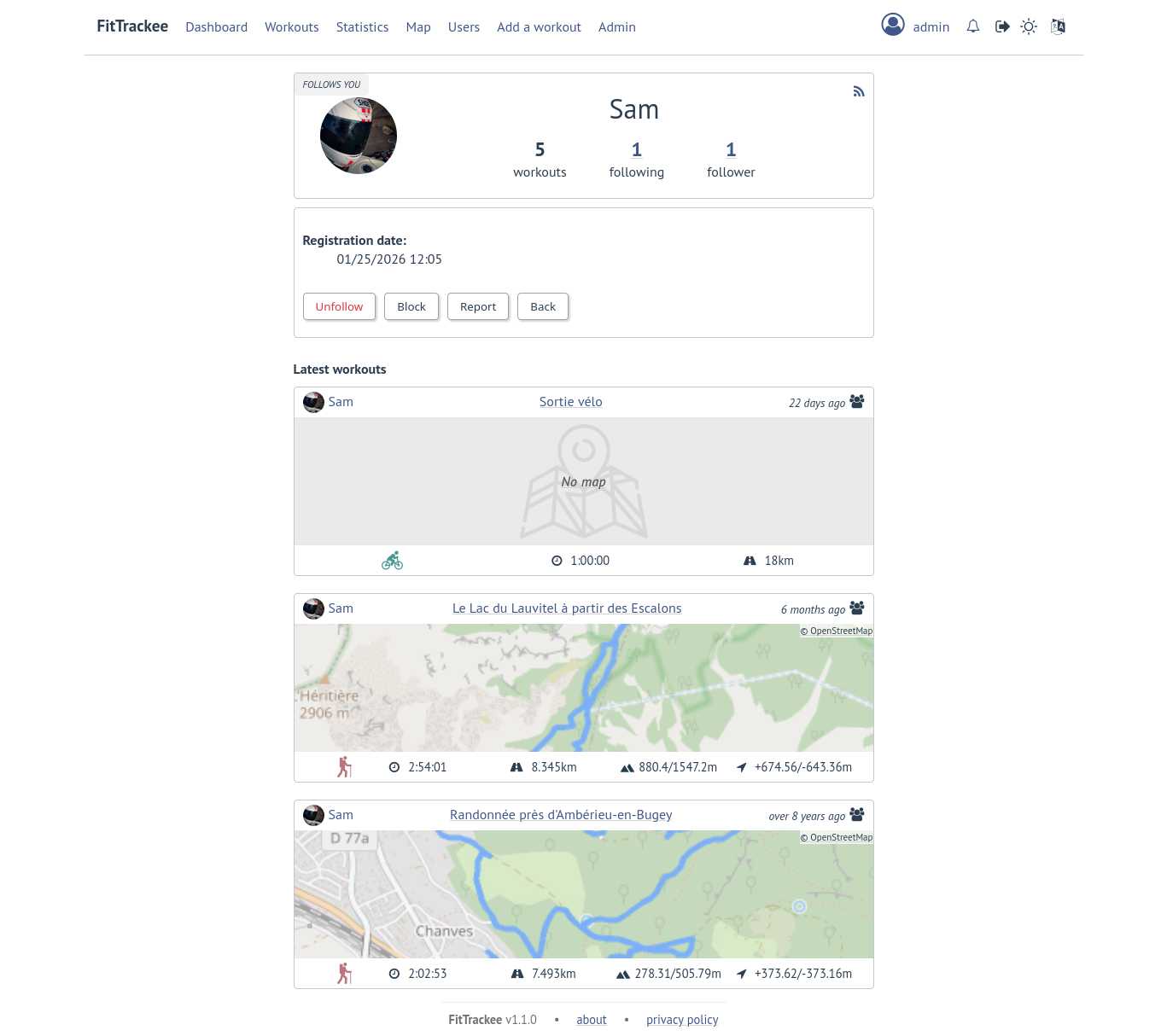
On the screenshot only 3 workouts are visible to the authenticated user.
A RSS feed is available in the user profile with the 5 last public workouts (displayed by default in English and using the metric system).
It’s possible to specify language and/or imperial units display, for instance:
https://<FITTRACKEE_DOMAIN>/users/<USERNAME>/workouts.rss?lang=frhttps://<FITTRACKEE_DOMAIN>/users/<USERNAME>/workouts.rss?imperial_units=true
Note
The rendering of the description may differ from that on FitTrackee, as different libraries are used and additional styles are applied on the UI.
No workouts are displayed when the user is suspended.
Workout description can be displayed by adding description parameter (not displayed by default):
https://<FITTRACKEE_DOMAIN>/users/<USERNAME>/workouts.rss?description=true
Note
The RSS feed is not autodiscoverable due to application architecture (client-side rendering).
Follow requests
Likes
Depending on visibility, users can like or “unlike” a workout or a comment.
The list of users who have liked the workout or comment is available.
Notifications
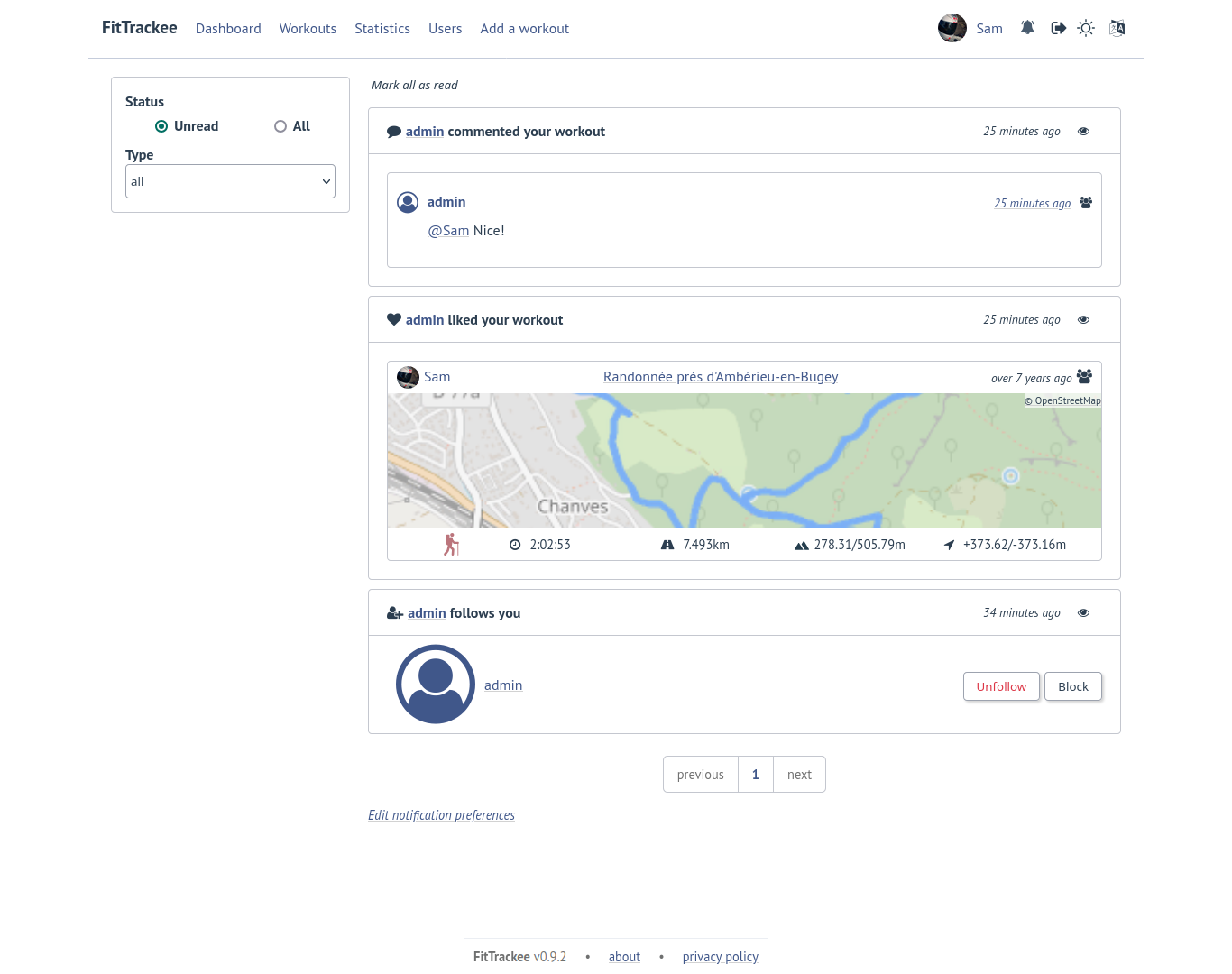
Notifications are created for the following event:
follow request and follow
follow request approval when follow request approval is manual
like on comment or workout
comment on workout
mention on comment
suspension or warning (an email is also sent if email sending is enabled)
suspension or warning lifting (an email is also sent if email sending is enabled)
Users with moderation rights can also receive notifications on:
report creation
appeal on suspension or warning
Users with administration rights can also receive notifications on user creation.
Users can mark notifications as read or unread.
Notifications can be disabled or enabled the following events in user preferences:
follow request and follow
follow request approval when follow request approval is manual
like on comment or workout
comment on workout
mention on comment
user registration (if authenticated user has administration rights)
Moderation
Comments, workouts, or accounts may be suspended after actions by moderators or administrators, see Moderation in user account.
Comments
The visibility levels for comment are:
private: only author and mentioned users can see the comment,
followers only: only author, followers and mentioned users can see the comment,
public: anyone can see the comment even unauthenticated users.
Important
Note
Comment text can be modified (visibility level cannot be changed).
Users can report a comment that violates instance rules. This will send a notification to moderators and administrators.